Detailing business guide
Auto detailing estimate template
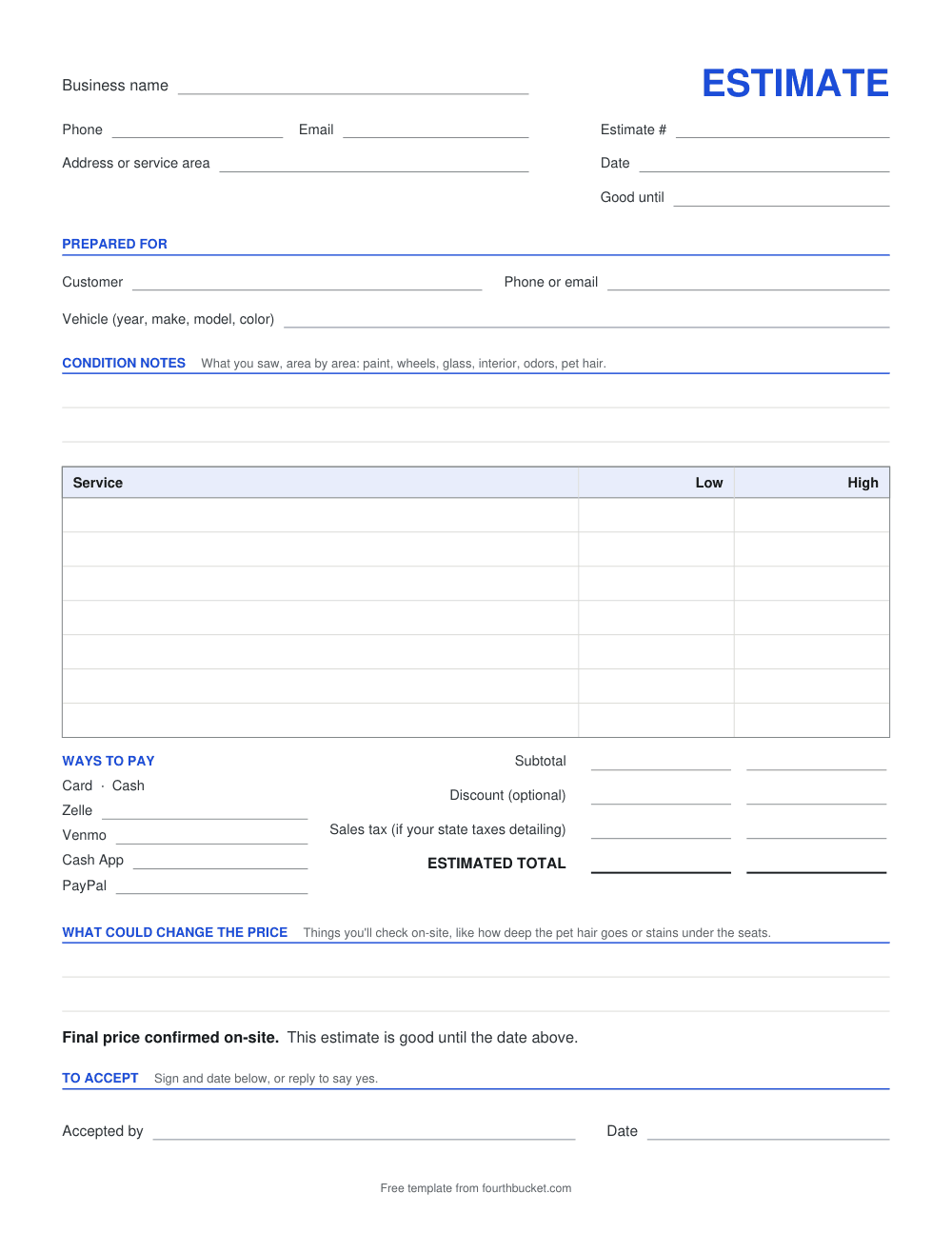
An estimate tells a customer what the job should cost before you start: what you saw on the car, the services you'd do, and a low and a high price, with the final price confirmed on-site. Download the template below for Word or Excel, or as a PDF to print. Further down: what a detailing estimate needs, and a filled-in example.
Download the estimate template
- Download the estimate template as Word (.docx), also opens in Google Docs and Apple Pages
- Download the estimate template as Excel (.xlsx), also opens in Google Sheets and Numbers
- Download the estimate template as PDF, to print and fill in by hand
Blank, free, and no signup. The Excel file works out the low and high totals for you; in Word and on the printed PDF you fill them in yourself. Each file ends with a small line, “Free template from fourthbucket.com”, which you can delete in the Word and Excel files.
What every detailing estimate needs
- The vehicle. Year, make, model and color, so the price is tied to the car you looked at.
- Condition notes. What you saw, area by area: paint, wheels, glass, interior, odors, pet hair. They tell the customer what the price is for.
- The services. Each one on its own line, with a low and a high price.
- A range, not one number. You can't see everything before you start, least of all from photos. A low and a high price leaves room for what you find.
- What could change it. Name what you'll check on-site, like how deep the pet hair goes or stains under the seats, so a change isn't a surprise.
- How long it's good for. A “good until” date, so an old estimate doesn't hold you to an old price.
- How the customer says yes. A line to sign and date, or a reply to your text. And a line that says the final price is confirmed on-site.
More on quoting from the pictures a customer sends: how to quote a detail from photos.
A filled-in example
Sample only: the business, the customer and the example prices are made up.
Example Mobile Detailing
(555) 010-0100 · Estimate #1042 · July 14, 2026 · Good until Aug 13, 2026
Prepared for: Jordan P. — 2021 White Ford F-150
Condition notes: Dog hair on the rear seats and in the cargo area. A coffee stain on the driver's floor mat. Water spots on the glass.
What could change it: how deep the pet hair goes, and any stains under the seats.
Final price confirmed on-site.
To book, reply YES to this text, or sign and date this estimate.
Or let the app draft it
Fourth Bucket is an estimate and invoice app for mobile detailers, and it makes an estimate like this one from photos. Use the photos your customer texted, or take your own. The AI drafts the condition report and recommends services from your own menu; the price range is worked out from your own menu prices, and the AI never sets a price.
The report lists things to verify on-site, every estimate says the final price is confirmed on-site, and you approve every number before it's sent. Your customer opens it from a link and taps Accept, and you turn it into an invoice with one tap, at the final amount you confirm.
Quotes you price yourself and invoices stay free on every account, and your first 10 AI photo estimates are free, with no card. Open a sample quote to see what your customer gets.
Frequently asked questions
What's the difference between an estimate and an invoice?
An estimate says what a job should cost before you start: on this template, a low and a high price for each service. An invoice says what is owed once the work is done, and how to pay it. Send the estimate first and the invoice after the job.
Why give a price range instead of one number?
Because you can't see everything before you start, least of all from photos. Swirl marks, odors, stains under the seats and how deep the pet hair goes can all change the work. A low and a high price, with what would move it, gives the customer a number to say yes to, and you confirm the final price on-site before you start.
How long should a detailing estimate be good for?
That's up to you. Pick a date and write it in the Good until box, so a customer who comes back months later knows the price may have changed.
Can I edit the template in Google Docs or Google Sheets?
Yes. The Word file also opens in Google Docs and Apple Pages, and the Excel file also opens in Google Sheets and Numbers. The Excel file adds up the low and high totals for you. The PDF is for printing and filling in by hand.
Do I need to put sales tax on a detailing estimate?
It depends on your state and local rules: some places tax detailing services and others don't. Check your local requirements. If you collect it, the template has its own line for it, worked out after any discount.
Is the template free?
Yes. It's free to download, with no signup. You can change anything in the Word and Excel files, including deleting the last line, which says where the template came from.
Keep reading: Detailing invoice template · Car detailing receipt template · How to quote a detail from photos · How to price a detailing job
Price your next job from a photo.
Your first 10 AI photo estimates are free — no card required.