What to put on a detailing price list
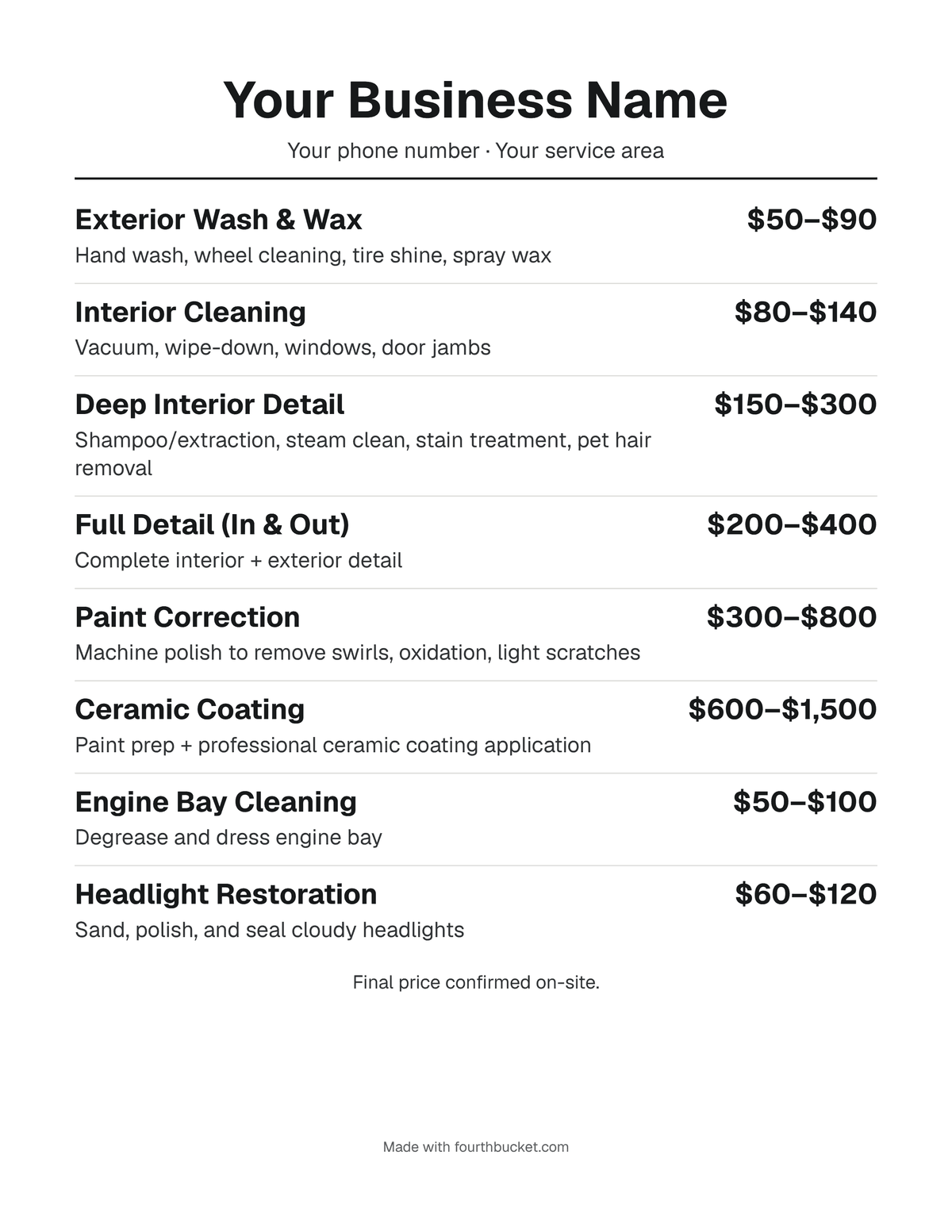
- Your name and how to reach you. The business name on top, and a line with your phone number or service area, so someone who sees the picture knows who to call.
- Each service, with what's included. "Interior detail" can mean a vacuum or a full shampoo. A few words, like "vacuum, shampoo, wipe-down, windows", say what yours is.
- A price for each. One price, a starting price ("From [price]") or a range ("[low]–[high]"). A starting price or a range leaves room for a bigger vehicle or a dirtier one.
- Add-ons on their own lines. Pet hair removal, stain treatment, odor removal, engine bay: extra work, priced on its own, so the main prices stay simple.
- A line about the final price. The tool starts you with "Final price confirmed on-site." A list is read before you've seen the car, and that line says so.
How to show vehicle size and condition
A coupe, a minivan and a full-size truck are different amounts of work, and so are a well-kept car and a neglected one. Three ways to put that on one sheet:
- • A line for each size. "Full detail, car" and "Full detail, SUV or truck", each with its own price. The plainest for a customer to read, and the longest list.
- • A starting price. "Full detail: from [price]", with a note at the bottom that larger vehicles and heavy pet hair cost more.
- • A range. The low end for a small, well-kept car and the high end for a big or neglected one, with the final price confirmed once you've seen it.
Whichever you pick, condition is easiest to show as add-ons: list pet hair, heavy stains and odor as their own lines instead of raising every price. To work out the numbers themselves, read how to price a detailing job, which builds one price from your hours, costs and markup. The detailing price calculator shows one way size and condition can scale a base price.
What the finished sheet looks like
Frequently asked questions
Is this price list template free?
Yes. It's free, with no signup and no email, and you can make as many price lists as you like. The pictures and PDFs you make are yours to post, print or send.
Is what I type sent anywhere or saved?
It isn't sent to us or to anyone else: the price list is put together in your browser, and the picture is made on your device. Where your browser offers Share picture, it opens your device's own share menu, and the picture goes only where you send it from there. While the tab is open, your browser keeps what you typed in that tab, so a reload doesn't lose it. Close the tab and it's gone, so share or download the picture, or save the PDF, first.
Where do the example prices come from?
They're the starter menu Fourth Bucket gives a new account: example US prices in US dollars, last reviewed October 2026, adjusted for price levels in the state you pick, and not adjusted for Canadian provinces. They weren't made from a survey of what detailers near you charge, so they aren't a guide to your market. Replace each one with your own price.
Which picture should I download?
The Letter page is 8.5 × 11 inches at 300 dots per inch (2,550 × 3,300 pixels): print it, save it as a PDF, or text it to a customer. The square post is 2,160 × 2,160 pixels, for a Facebook or Instagram post. On a phone, Share picture (where your browser offers it) opens the phone's share menu, so you can save the picture to your photos, text it or post it; Download picture saves it as a file. A long list shrinks to fit; before the words get too small to read, it continues onto a second picture instead, and every picture repeats your name at the top.
Can I take the "Made with fourthbucket.com" line off?
Yes. It's on to start with, as one small line at the bottom. Turn off the switch in the Preview section, above the picture, and it's gone from the picture and the printout.
Keep reading: How to price a detailing job · Detailing price calculator · Detailing invoice template · Customer text templates
Detailers: quote from your own prices.
Photo in, priced estimate out, from your own menu — you approve every number. First 10 AI photo estimates free, no card required. Quotes you price yourself and invoices are free on every account.
Start free